Manage the Platform
This section explains how platform owners and content managers work with a ready-made platform in the GamePush control panel. It focuses on actions in the interface and does not require programming.
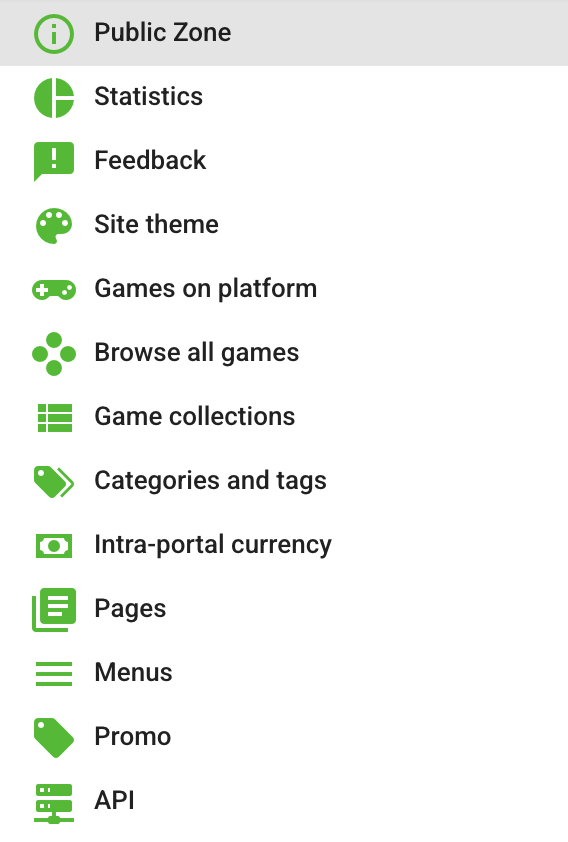
Open Platforms and select a platform. The platform menu contains the following sections:
- Branding — site layout, colors, header, sidebar, fonts, and typography.
- Platform settings — platform details, languages, social networks, SEO, analytics, and service configurations.
- Managing games — adding, publishing, hiding, updating, and removing games.
- Collections — filtered game lists, pinned games, display order, and SEO.
- Categories and tags — names, icons, SEO, and category or tag pages.
- Intra-portal currency — currency appearance, currency bundles, VIP, and ad skipping.
- Pages — the home page, legal pages, and reusable content blocks.
- Menus — sidebar and footer navigation.
- Promotion — promo banners on the platform site and the PWA installation promo.
- Feedback — requests from players and communication with game developers.
- Statistics — advertising revenue, platform purchases, and in-game purchases.
Each section saves its own changes. After updating settings that affect the player-facing site, use Open next to the platform name to check the result.