Feedback
Feedback is the platform team's shared inbox for questions, errors, and suggestions connected to its games. Open Feedback to find, triage, and answer these requests. Feedback types, statuses, message authors, and the player-facing flow are described in the shared Feedbacks guide.
Find a request
The list can be filtered by:
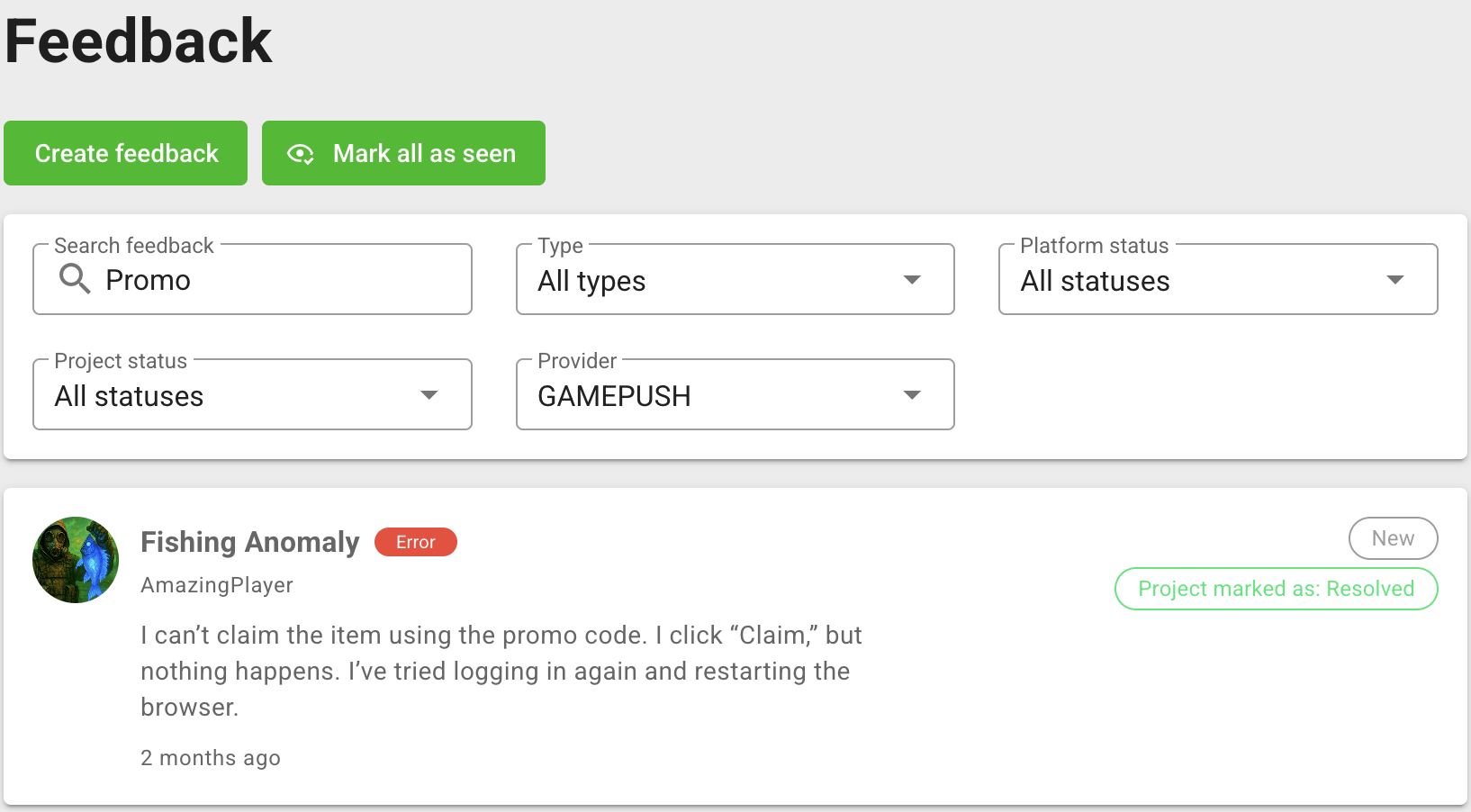
- text, project or player identifiers, and player email;
- feedback type;
- platform status;
- project status;
- service provider.
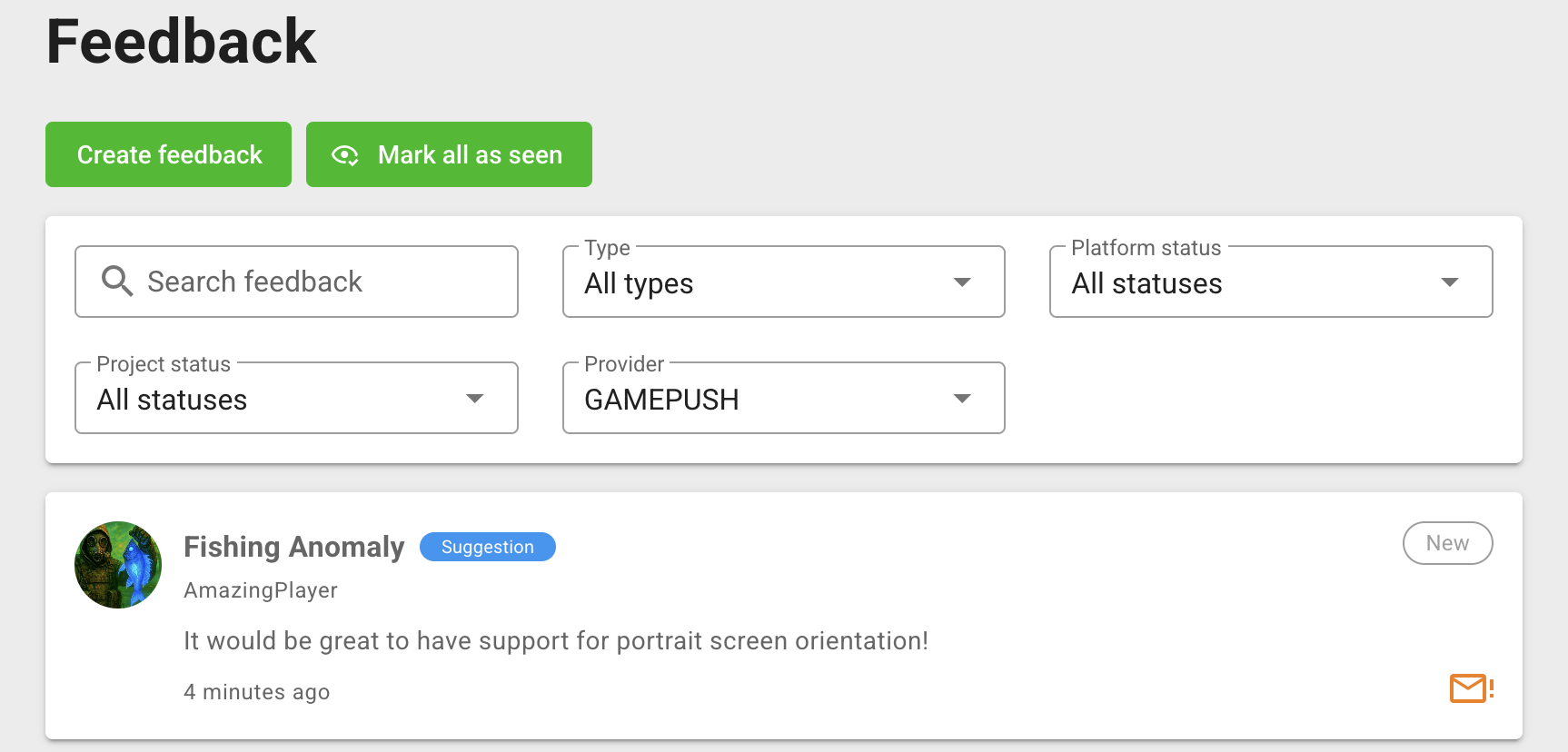
An unread request is marked in the list. Click Mark all as seen to clear the unread state for the currently loaded requests.
The list shows separate platform and project statuses. When the platform status changes, the project status is set to the same value. A status change made by the game developer does not change the platform status.
Work with a request
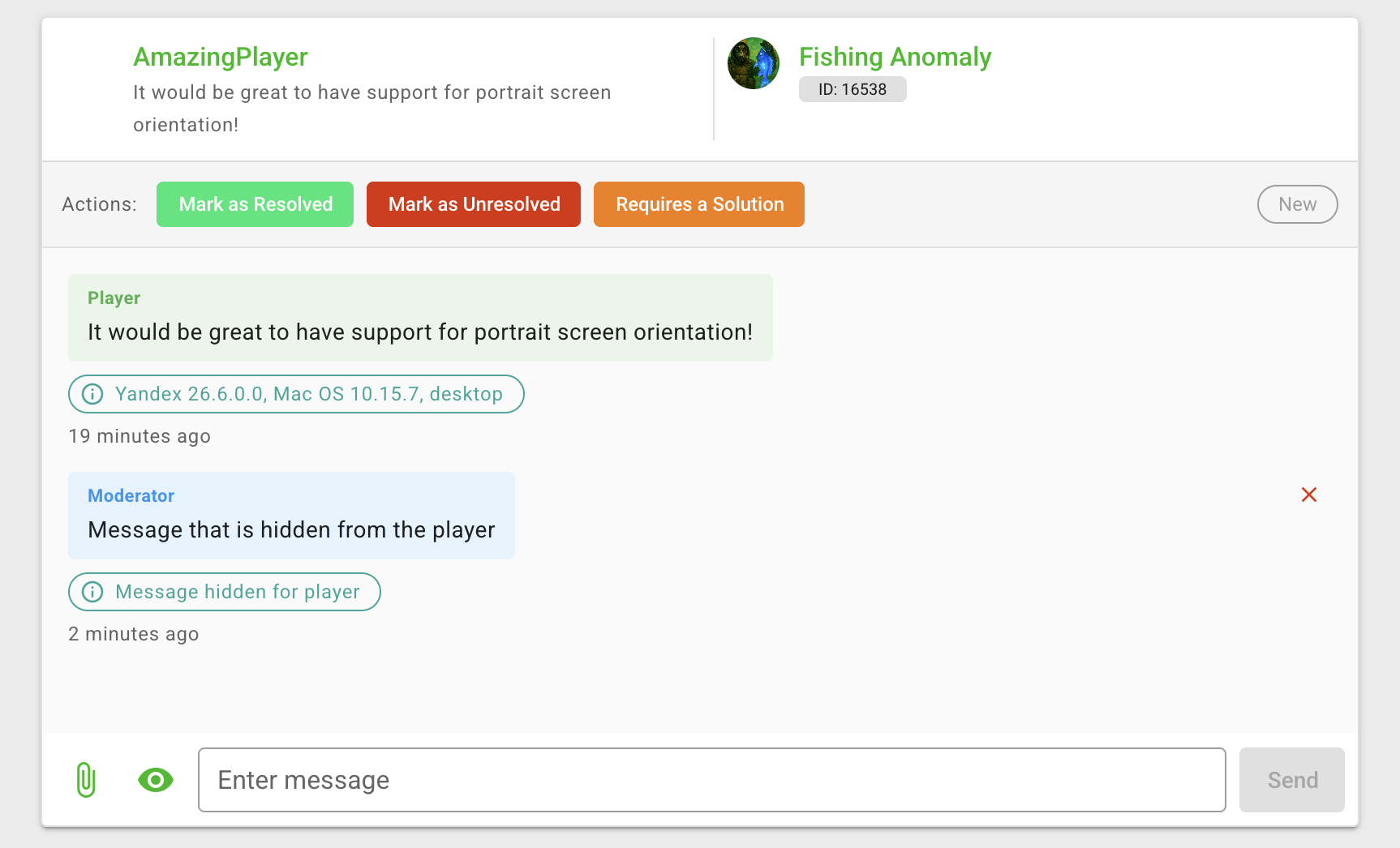
Open a request to view the original text, game, player information, attachments, and message history. From the conversation page you can:
- change the platform status to In Progress, Resolved, or Unresolved;
- send a message and attach files;
- mark a message as hidden from the player;
- delete a message when the action is available.
A message hidden from the player remains part of the internal conversation. Check this option before sending; it changes who can see the message.
New player messages and status updates can arrive while the page is open. Keep the request open until the reply has been sent and the platform status reflects the next action.
Create a request for a game
Click Create feedback, select a game on the platform, choose the request type, enter the message, and add attachments if necessary. Use this when the platform team needs to start a conversation with the developer of a specific game.
For a custom support interface or automated processing, use the Feedback API.